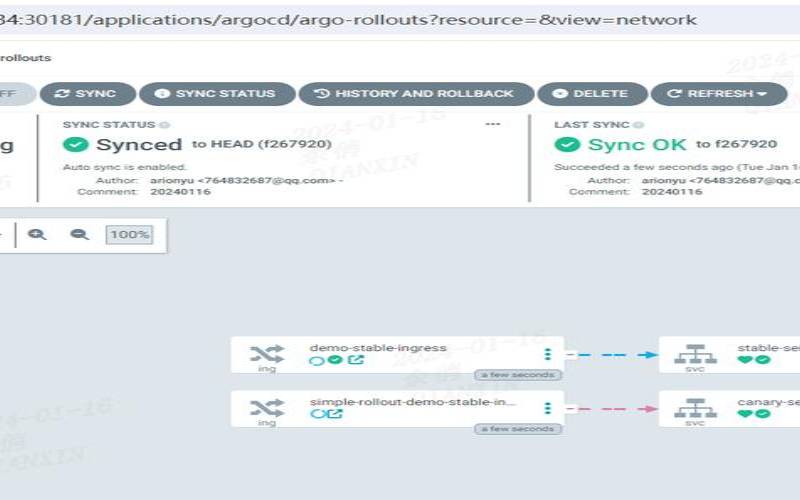


金丝雀发布/灰度发布
金丝雀发布的重点在于:试错。金丝雀发布的来历本身就是自然界的美丽生物在人类工业发展过程中的一个悲惨的故事。金丝雀就是用它的生命来为矿工的安全来试错的。用很小的成本来换取整体的安全,在持续部署的实践中,金丝雀就是流量控制,用很少的流量比如百分之一或者十分之一用于检证某个版本是否正常,如果不正常则就用最低的成本实现了其作用,降低了风险。如果正常,则可以逐渐加大权重直至百分之百,将所有的流量都平稳地切换至新的版本。灰度发布,一般来说也是类似的概念。灰色是介于黑和白之前的一个过渡,区别于蓝绿部署的非蓝即绿,灰度发布/金丝雀发布会有一个两者同时存在的时间段,只是两者对应的流量不同,金丝雀发布如果说和灰度发布有所不同的话,其不同点应该是目的性的不同,金丝雀发布目的在于试错,而灰度发布在于平稳发布,而在金丝雀发布没有问题的状况下进行的平稳过渡则正是灰度发布。
模拟金丝雀发布
接下来我们使用nginx的upstream来简单模拟一下金丝雀发布的场景。具体场景如下,当前活跃的是主版本,通过调整nginx设定,通过不断的调节金丝雀版本的权重,最终实现平稳地发布。
事前准备
事前在7001/7002两个端口分别启动两个服务,用于显示不同信息,为了演示方便,使用tornado做了一个镜像,通过docker容器启动时传递的参数不同用于显示服务的不同。
dockerrun-d-p7001:8080liumiaocn/tornado:latestpython/usr/local/bin/daemon.py"hellomainservice:v1in7001"
dockerrun-d-p7002:8080liumiaocn/tornado:latestpython/usr/local/bin/daemon.py"hellocanarydeployservice:v2in7002"
执行日志
[root@kong~]#dockerrun-d-p7001:8080liumiaocn/tornado:latestpython/usr/local/bin/daemon.py"hellomainservice:v1in7001"
28f42bbd21146c520b05ff2226514e62445b4cdd5d82f372b3791fdd47cd602a
[root@kong~]#dockerrun-d-p7002:8080liumiaocn/tornado:latestpython/usr/local/bin/daemon.py"hellocanarydeployservice:v2in7002"
b86c4b83048d782fadc3edbacc19b73af20dc87f5f4cf37cf348d17c45f0215d
[root@kong~]#curlhttp://192.168.163.117:7001
hello,service:hellomainservice:v1in7001
[root@kong~]#curlhttp://192.168.163.117:7002
hello,service:hellocanarydeployservice:v2in7002
[root@kong~]dockerrun-p9080:80--namenginx-canary-dnginx
659f15c4d006df6fcd1fab1efe39e25a85c31f3cab1cda67838ddd282669195c
[root@kong~]#dockerps|grepnginx-canary
659f15c4d006nginx"nginx-g'daemon..."7secondsagoup7seconds0.0.0.0:9080->80/tcpnginx-canary
[root@kong~]#
nginx代码段
准备如下nginx代码段将其添加到nginx的/etc/nginx/conf.d/default.conf中,模拟方式很简单,通过down来表示流量为零(nginx中无法将weight设置为零),开始的时候100%的流量都发到主版本。
server192.168.163.117:7001weight=100;
server192.168.163.117:7002down;
server_namewww.liumiao.cn192.168.163.117;
proxy_passhttp://nginx_canary;
}
修改default.conf的方法
可以通过在容器中安装vim达到效果,也可以在本地修改然后通过dockercp传入,或者直接sed修改都可。如果在容器中安装vim,使用如下方式即可
[root@kong~]#dockerexec-itnginx-lbsh
...省略
修改前
#access_log/var/log/nginx/host.access.logmain;
root/usr/share/nginx/html;
indexindex.htmlindex.htm;
#redirectservererrorpagestothestaticpage/50x.html
error_page500502503504/50x.html;
root/usr/share/nginx/html;
#proxythephpscriptstoapachelisteningon127.0.0.1:80
#proxy_passhttp://127.0.0.1;
#passthephpscriptstofastcgiserverlisteningon127.0.0.1:9000
#fastcgi_pass127.0.0.1:9000;
#fastcgi_paramscript_filename/scripts$fastcgi_script_name;
#denyaccessto.htaccessfiles,ifapache'sdocumentroot
#
修改后
server192.168.163.117:7001weight=100;
server192.168.163.117:7002down;
server_namewww.liumiao.cn192.168.163.117;
#access_log/var/log/nginx/host.access.logmain;

#indexindex.htmlindex.htm;
proxy_passhttp://nginx_canary;
#redirectservererrorpagestothestaticpage/50x.html
error_page500502503504/50x.html;
root/usr/share/nginx/html;
#proxythephpscriptstoapachelisteningon127.0.0.1:80
#proxy_passhttp://127.0.0.1;
#passthephpscriptstofastcgiserverlisteningon127.0.0.1:9000
#fastcgi_pass127.0.0.1:9000;
#fastcgi_paramscript_filename/scripts$fastcgi_script_name;
#denyaccessto.htaccessfiles,ifapache'sdocumentroot
#
重新加载nginx设定
2018/05/2805:16:20[notice]319#319:signalprocessstarted
cnt=0;while[$cnt-lt10];docurl;letcnt++;donehello,service:hellomainservice:v1in7001hello,service:hellomainservice:v1in7001hello,service:hellomainservice:v1in7001hello,service:hellomainservice:v1in7001hello,service:hellomainservice:v1in7001hello,service:hellomainservice:v1in7001hello,service:hellomainservice:v1in7001hello,service:hellomainservice:v1in7001hello,service:hellomainservice:v1in7001hello,service:hellomainservice:v1in7001[root@kong~]#
金丝雀发布:金丝雀版本流量权重10%
通过调整default.conf的weight,然后执行nginx-sreload的方式,调节金丝雀版本的权重为10%,流量的10%会执行新的服务
修改default.conf的方法
只需要将upstream中的server的权重做如下调整:
server192.168.163.117:7001weight=10;
server192.168.163.117:7002weight=90;
}
重新加载nginx设定
2018/05/2805:20:14[notice]330#330:signalprocessstarted
cnt=0;while[$cnt-lt10];docurl;letcnt++;donehello,service:hellocanarydeployservice:v2in7002hello,service:hellocanarydeployservice:v2in7002hello,service:hellocanarydeployservice:v2in7002hello,service:hellocanarydeployservice:v2in7002hello,service:hellomainservice:v1in7001hello,service:hellocanarydeployservice:v2in7002hello,service:hellocanarydeployservice:v2in7002hello,service:hellocanarydeployservice:v2in7002hello,service:hellocanarydeployservice:v2in7002hello,service:hellocanarydeployservice:v2in7002[root@kong~]#
金丝雀发布:金丝雀版本流量权重50%
通过调整default.conf的weight,然后执行nginx-sreload的方式,调节金丝雀版本的权重为50%,流量的50%会执行新的服务
修改default.conf的方法
只需要将upstream中的server的权重做如下调整:
server192.168.163.117:7001weight=50;
server192.168.163.117:7002weight=50;
}
重新加载nginx设定
2018/05/2805:22:26[notice]339#339:signalprocessstarted
cnt=0;while[$cnt-lt10];docurl;letcnt++;donehello,service:hellomainservice:v1in7001hello,service:hellocanarydeployservice:v2in7002hello,service:hellomainservice:v1in7001hello,service:hellocanarydeployservice:v2in7002hello,service:hellomainservice:v1in7001hello,service:hellocanarydeployservice:v2in7002hello,service:hellomainservice:v1in7001hello,service:hellocanarydeployservice:v2in7002hello,service:hellomainservice:v1in7001hello,service:hellocanarydeployservice:v2in7002[root@kong~]#
金丝雀发布:金丝雀版本流量权重90%
通过调整default.conf的weight,然后执行nginx-sreload的方式,调节金丝雀版本的权重为90%,流量的90%会执行新的服务
修改default.conf的方法
只需要将upstream中的server的权重做如下调整:
server192.168.163.117:7001weight=10;
server192.168.163.117:7002weight=90;
}
重新加载nginx设定
2018/05/2805:24:29[notice]346#346:signalprocessstarted
cnt=0;while[$cnt-lt10];docurl;letcnt++;donehello,service:hellocanarydeployservice:v2in7002hello,service:hellocanarydeployservice:v2in7002hello,service:hellocanarydeployservice:v2in7002hello,service:hellocanarydeployservice:v2in7002hello,service:hellomainservice:v1in7001hello,service:hellocanarydeployservice:v2in7002hello,service:hellocanarydeployservice:v2in7002hello,service:hellocanarydeployservice:v2in7002hello,service:hellocanarydeployservice:v2in7002hello,service:hellocanarydeployservice:v2in7002[root@kong~]#
金丝雀发布:金丝雀版本流量权重100%
通过调整default.conf的weight,然后执行nginx-sreload的方式,调节金丝雀版本的权重为100%,流量的100%会执行新的服务
修改default.conf的方法
只需要将upstream中的server的权重做如下调整:
server192.168.163.117:7001down;
server192.168.163.117:7002weight=100;
}
重新加载nginx设定
2018/05/2805:26:37[notice]353cnt=0;while[$cnt-lt10];docurl;letcnt++;donehello,service:hellocanarydeployservice:v2in7002hello,service:hellocanarydeployservice:v2in7002hello,service:hellocanarydeployservice:v2in7002hello,service:hellocanarydeployservice:v2in7002hello,service:hellocanarydeployservice:v2in7002hello,service:hellocanarydeployservice:v2in7002hello,service:hellocanarydeployservice:v2in7002hello,service:hellocanarydeployservice:v2in7002hello,service:hellocanarydeployservice:v2in7002hello,service:hellocanarydeployservice:v2in7002[root@kong~]#
以上就是怎么使用nginx模拟进行金丝雀发布的详细内容,更多请关注主机测评网其它相关文章!
本文来源:国外服务器--怎么使用nginx模拟进行金丝雀发布
本文地址:https://www.idcbaba.com/guowai/2711.html
版权声明:本文内容由互联网用户自发贡献,该文观点仅代表作者本人。本站仅提供信息存储空间服务,不拥有所有权,不承担相关法律责任。如发现本站有涉嫌抄袭侵权/违法违规的内容, 请发送邮件至 1919100645@qq.com 举报,一经查实,本站将立刻删除。


