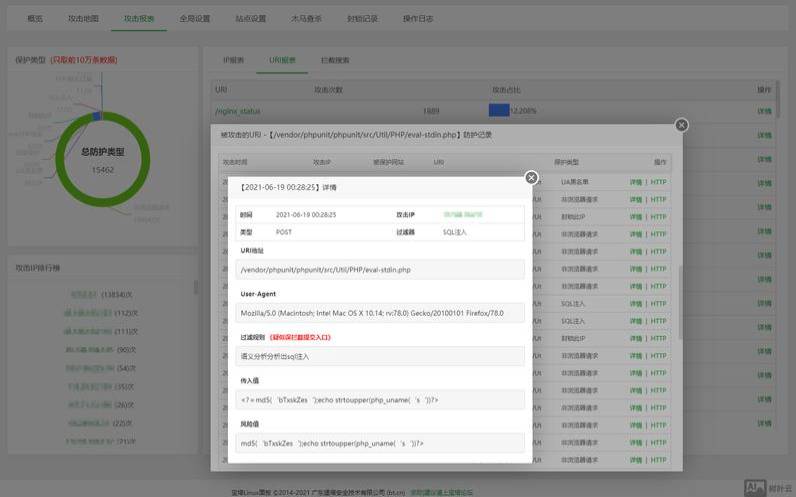


大鸟前面文章里说过如何升级到宝塔面板6.6的教程,大鸟最近也一直在用宝塔面板的6.6.6的最新版本,额,确实和5.9没什么区别,但是也不要觉得6.6这个版本有多好,其实它没你想的那么好。
nginx的防火墙模块被取消了,连接管理和进程管理也被取消了,说白了,大鸟觉得,6.X是阉割版。因为宝塔现在推出了商业版,商业版和免费版要有分水岭,这势必要取消掉原来5.9版本中的很多非常实用的功能,这里面就有什么防火墙啊,进程管理、连接管理这些很实用的小功能。如果你要用,很简单,官方的收费插件里有防火墙插件,你要用就买。
额,大鸟这里就不多吐槽6.X这个版本了,今天大鸟要说的是,虽然6.6取消了原来5.9种nginx里面集成的应用防火墙模块,但是我们自己可以的动手编译安装这个ngx_lua_wafweb模块。
你可以使用SSH工具以ROOT权限登陆之后下载备份nginx,也可以直接使用命令备份nginx。
cd/www/server/nginx/sbin/
项目地址:https://github.com/loveshell/ngx_lua_waf
1、下载安装LuaJIT2.1(2.0或者2.1都是支持的,官方推荐2.1):http://luajit.org/download.html
wgethttp://luajit.org/download/LuaJIT-2.1.0-beta2.tar.gz
tarzxfLuaJIT-2.1.0-beta2.tar.gz
makePREFIX=/usr/local/luajit
makeinstallPREFIX=/usr/local/luajit
2、下载ngx_devel_kit(NDK)模块:https://github.com/simpl/ngx_devel_kit/tags,不需要安装
wgethttps://github.com/simpl/ngx_devel_kit/archive/v0.2.19.tar.gz
tar-xzvfv0.2.19.tar.gz
3、下载最新的lua-nginx-module模块
wgethttps://github.com/openresty/lua-nginx-module/archive/v0.10.2.tar.gz
exportLUAJIT_LIB=/usr/local/luajit/lib
exportLUAJIT_INC=/usr/local/luajit/include/luajit-2.1
4、重新编译?nginx?我这里使用的是nginx1.14.1。
查看宝塔编译好的nginx加载模块,在重新编译加载云锁防护模块的时候仍需加载这些模块
注意这个命令是大写的V,如果小写v是不会显示模块的
将https://www.daniao.org/configurearguents:之后的内容复制到记事本备用,比如我的是:
--user=www--group=www--prefix=/www/server/nginx--with-openssl=/www/server/nginx/src/openssl--add-module=/www/server/nginx/src/ngx_devel_kit--add-module=/www/server/nginx/src/lua_nginx_module--add-module=/www/server/nginx/src/ngx_cache_purge--add-module=/www/server/nginx/src/nginx-sticky-module--add-module=/www/server/nginx/src/nginx-http-concat--with-http_stub_status_module--with-http_ssl_module--with-http_v2_module--with-http_image_filter_module--with-http_gzip_static_module--with-http_gunzip_module--with-stream--with-stream_ssl_module--with-ipv6--with-http_sub_module--with-http_flv_module--with-http_addition_module--with-http_realip_module--with-http_mp4_module--with-ld-opt=-Wl,-E--with-pcre=pcre-8.40--with-ld-opt=-ljemalloc
这里只要是宝塔面板6.6的应都是一样的,不过最好都看下把这一段复制下来。(我的仅供参考,实际以自己的为准)
进入nginx源码目录,对nginx进行重新编译,操作之前请确认自己的nginx是编译模式安装的,而不是宝塔面板的极速安装
cd/www/server/nginx/src
https://www.daniao.org/configure?上一步记事本中的备用内容--with-ld-opt="-Wl,-rpath,/root/luajit/lib"--add-module=/root/ngx_devel_kit-0.2.19--add-module=/root/lua-nginx-module-0.10.2
https://www.daniao.org/configure和记事本复制的内容之间有个空格,后面的--add-module前面也有个空格,比如我的编译命令为:
https://www.daniao.org/configure--user=www--group=www--prefix=/www/server/nginx--with-openssl=/www/server/nginx/src/openssl--add-module=/www/server/nginx/src/ngx_devel_kit--add-module=/www/server/nginx/src/lua_nginx_module--add-module=/www/server/nginx/src/ngx_cache_purge--add-module=/www/server/nginx/src/nginx-sticky-module--add-module=/www/server/nginx/src/nginx-http-concat--with-http_stub_status_module--with-http_ssl_module--with-http_v2_module--with-http_image_filter_module--with-http_gzip_static_module--with-http_gunzip_module--with-stream--with-stream_ssl_module--with-ipv6--with-http_sub_module--with-http_flv_module--with-http_addition_module--with-http_realip_module--with-http_mp4_module--with-ld-opt=-Wl,-E--with-pcre=pcre-8.40--with-ld-opt=-ljemalloc--with-ld-opt="-Wl,-rpath,/root/luajit/lib"--add-module=/root/ngx_devel_kit-0.2.19--add-module=/root/lua-nginx-module-0.10.2
等待命令结束,输入编译命令
编译安装过程大概要5分钟左右,还是有点长的。完成后将系统中原有的nginx用重新编译生成的nginx文件替换。
rm-rf/www/server/nginx/sbin/nginx
cp?/www/server/nginx/src/objs/nginx?/www/server/nginx/sbin/

cd/www/server/nginx/conf
gitclonehttps://github.com/loveshell/ngx_lua_waf.git
在Nginx默认的nginx.conf配置文件http模块里添加如下语句引用ngx_lua_waf模块生效:
lua_package_path"/www/server/nginx/conf/waf/?.lua";
lua_shared_dictlimit10m;
init_by_lua_file/www/server/nginx/conf/waf/init.lua;
access_by_lua_file/www/server/nginx/conf/waf/waf.lua;
为了确保万一,让Nginx检查以下配置文件语法正确与否是个好习惯:
返回如下信息即表明配置文件正确无误。
nginx:theconfigurationfile/usr/local/nginx/conf/nginx.confsyntaxisok
nginx:configurationfile/usr/local/nginx/conf/nginx.conftestissuccessful
然后修改waf目录config.lua里面的路径,路径一定要改好,不然打开网页会提示500错误。
RulePath="/www/server/nginx/conf/waf/wafconf/"
logdir="/www/server/nginx/logs/hack/"
hack这个文件夹请自己到路径里创建。
可以编辑/www/server/nginx/conf/waf/config.lua来调整ngx_lua_waf的相关配置。
附送ngx_lua_waf配置文件config.lua中文注释
RulePath="/www/server/nginx/conf/waf/wafconf/"
--是否开启攻击信息记录,需要配置logdir
logdir="/www/server/nginx/logs/hack/"
--log存储目录,该目录需要用户自己新建,需要nginx用户的可写权限,这里是宝塔的创建路径
--ip黑名单,多个ip用逗号分隔
--是否开启拦截cc攻击(需要nginx.conf的http段增加lua_shared_dictlimit10m;)
--设置cc攻击频率,单位为秒.
--默认1分钟同一个IP只能请求同一个地址100次
--警告内容,可在中括号内自定义
备注:不要乱动双引号,区分大小写
可以把config.lua中的Redirect设置为off,只记录不拦截,观察没有误拦后再开启。
完成自己的需求的配置后,保存退出。重启Nginx后就生效了。
测试创建个test.php文件,内容为test,直接访问。
http://ceshi.daniao.org/test.php
http://ceshi.daniao.org/test.php?id=/etc/passwd
我们就会看到拦截内容了,如下图:
宝塔面板nginx编译ngx_lua_wafweb应用防火墙模块的教程就说完了,门槛稍微有点高啊,大家要看仔细,就目前的互联网安全形势给站点添加一个WAF可以说是个标配了,可惜很多新手站长们都给忽略了,所以说给服务器部署ngx_lua_wafweb绝对是个应对网站安全的好习惯!
本文来源:免费资源--宝塔免费nginx防火墙
本文地址:https://www.idcbaba.com/mianfei/965.html
版权声明:本文内容由互联网用户自发贡献,该文观点仅代表作者本人。本站仅提供信息存储空间服务,不拥有所有权,不承担相关法律责任。如发现本站有涉嫌抄袭侵权/违法违规的内容, 请发送邮件至 1919100645@qq.com 举报,一经查实,本站将立刻删除。


