

yum-yinstallgcc-c++pcrepcre-develzlibzlib-developensslopenssl-devel
2.目录结构
源码目录:/home/werben/pkgsrc/nginx安装目录:/home/werben/application/nginx
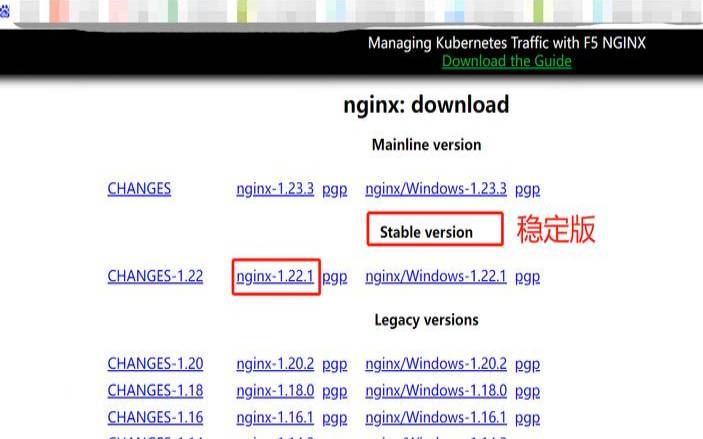
3.下载解压源码
4.创建用户组和用户
useradd-gwwwwww
5.编译源码
https://www.fruan.com/post/configure--user=www--group=www--prefix=/home/werben/application/nginx--with-http_v2_module--with-http_ssl_module--with-http_sub_module--with-http_stub_status_module--with-http_gzip_static_module--with-http_flv_module--with-http_mp4_module--with-pcre
make&&makeinstall
6.映射全局命令
ln-s/home/werben/application/nginx/sbin/nginx/usr/local/bin/nginx
7.启动,停止,重启
ngins-sreload
8.检测配置文件nginx.conf正确性
9.开机自启动
vim/lib/systemd/system/nginx.service
wantedby=multi-user.target
systemctlstartnginx.service
systemctlstopnginx.service
systemctlenablenginx.service
systemctldisablenginx.service
systemctlstatusnginx.service
systemctlrestartnginx.service
systemctllist-units--type=service
10.出现问题和解决方法

jobfornginx.servicefailedbecausethecontrolprocessexitedwitherrorcode.
see"systemctlstatusnginx.service"and"journalctl-xe"fordetails.
systemctlstatusnginx.service
process:35783execstart=...nginx/sbin/nginx(code=exitedstatus=203/exec)
nginx.service:controlprocessexited,code=exitedstatus=203
systemd[1]:nginx.service:failedwithresult'exit-code'.
localhost.localdomainsystemd[1]:failedtostartnginx.
ifyoubelievethatsystemdshouldbeallowedexecuteaccessonthe>
thenyoushouldreportthisasabug.
youcangeneratealocalpolicymoduletoallowthisaccess.
doallowthisaccessfornowbyexecuting:
#ausearch-c'(nginx)'--raw|audit2allow-mmy-nginx
#semodule-x300-imy-nginx.pp
selinux=disabled
ps:nginx配置文件的结构说明
所有nginx配置文件都位于/etc/nginx/目录中。
nginx的主要配置文件是/etc/nginx/nginx.conf。
为每个域创建一个单独的配置文件使服务器易于维护。
nginx服务器阻止文件必须以结尾.conf并存储在/etc/nginx/conf.d目录中。您可以根据需要拥有任意数量的服务器块。
遵循标准命名约定是一个好习惯。例如,如果域名是,mydomain.com则配置文件应命名为mydomain.com.conf
如果在域服务器块中使用可重复的配置段,则最好将这些段重构为片段。
nginx日志文件(access.log和error.log)位于/var/log/nginx/目录中。建议有不同access和error日志文件每个服务器模块。
您可以将域文档的根目录设置为所需的任何位置。webroot的最常见位置包括:
/home/<user_name>/<site_name>
/var/www/<site_name>
/var/www/html/<site_name>
/usr/share/nginx/html
以上就是centos8怎么自定义目录安装nginx的详细内容,更多请关注主机测评网其它相关文章!
本文来源:虚拟主机--centos8怎么自定义目录安装nginx(centos8安装设置安装源)
本文地址:https://www.idcbaba.com/zhuji/1954.html
版权声明:本文内容由互联网用户自发贡献,该文观点仅代表作者本人。本站仅提供信息存储空间服务,不拥有所有权,不承担相关法律责任。如发现本站有涉嫌抄袭侵权/违法违规的内容, 请发送邮件至 1919100645@qq.com 举报,一经查实,本站将立刻删除。


